The dashboard
berth ui                     # http://127.0.0.1:10000
berth ui --port 10000 --open # same, and open the browser (macOS)
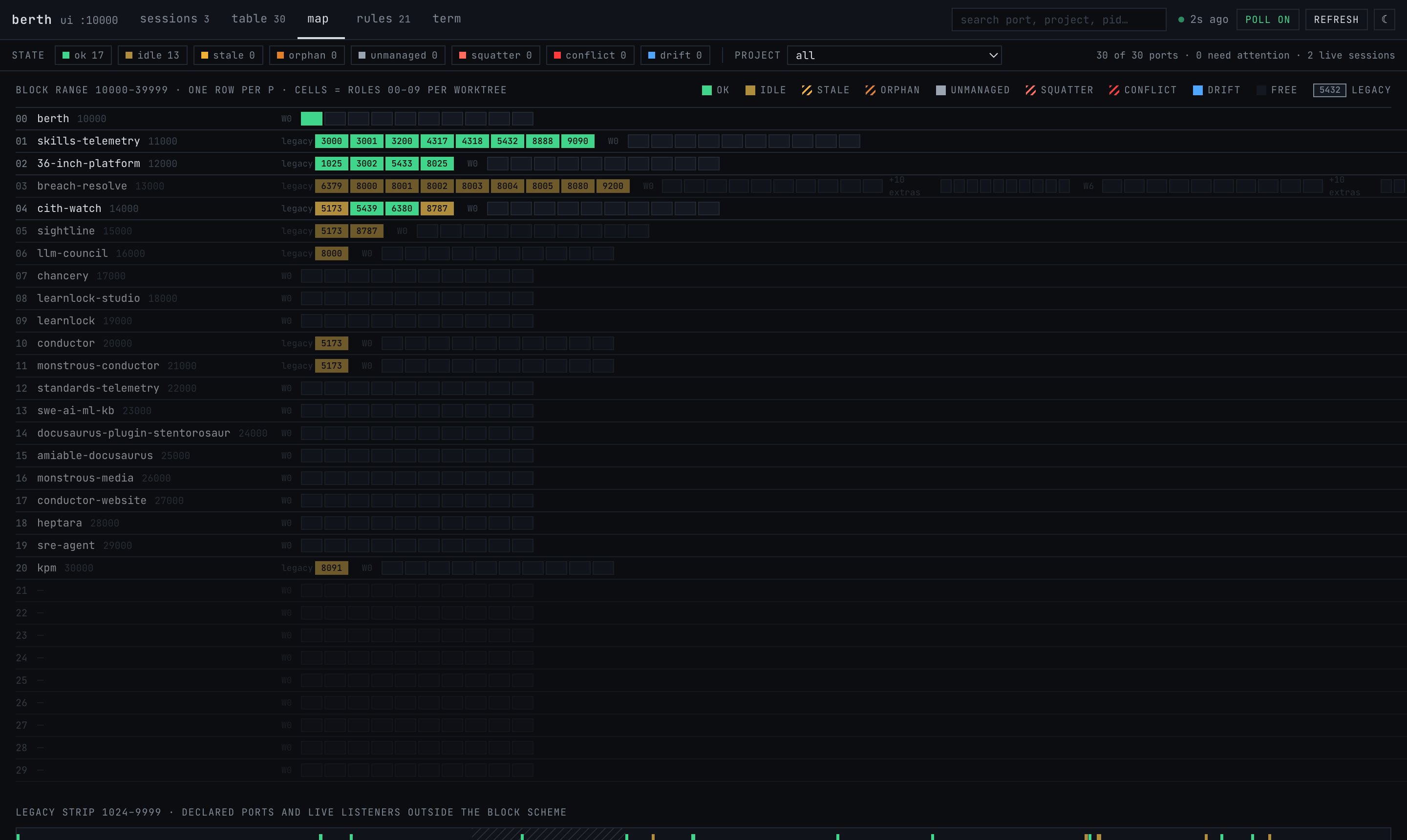
The dashboard is one page served by berth itself. berth is project 0 in the scheme, so its own port is 10000, and it leases that port while it runs. It binds 127.0.0.1 only, serves GET requests only, never touches the file system, and sends a per-response nonce content-security policy. It polls berth check --json every five seconds against a one-second cache; a poll that returns an unchanged report does not re-render, so focus and hover survive.
Views
| Tab | What it shows |
|---|---|
| sessions | one row per Claude or human session with its leases, worst state, pid and start time; select one for its lease table |
| table | Project → Worktree → Role, with state, live holder, session, working directory, age and URL |
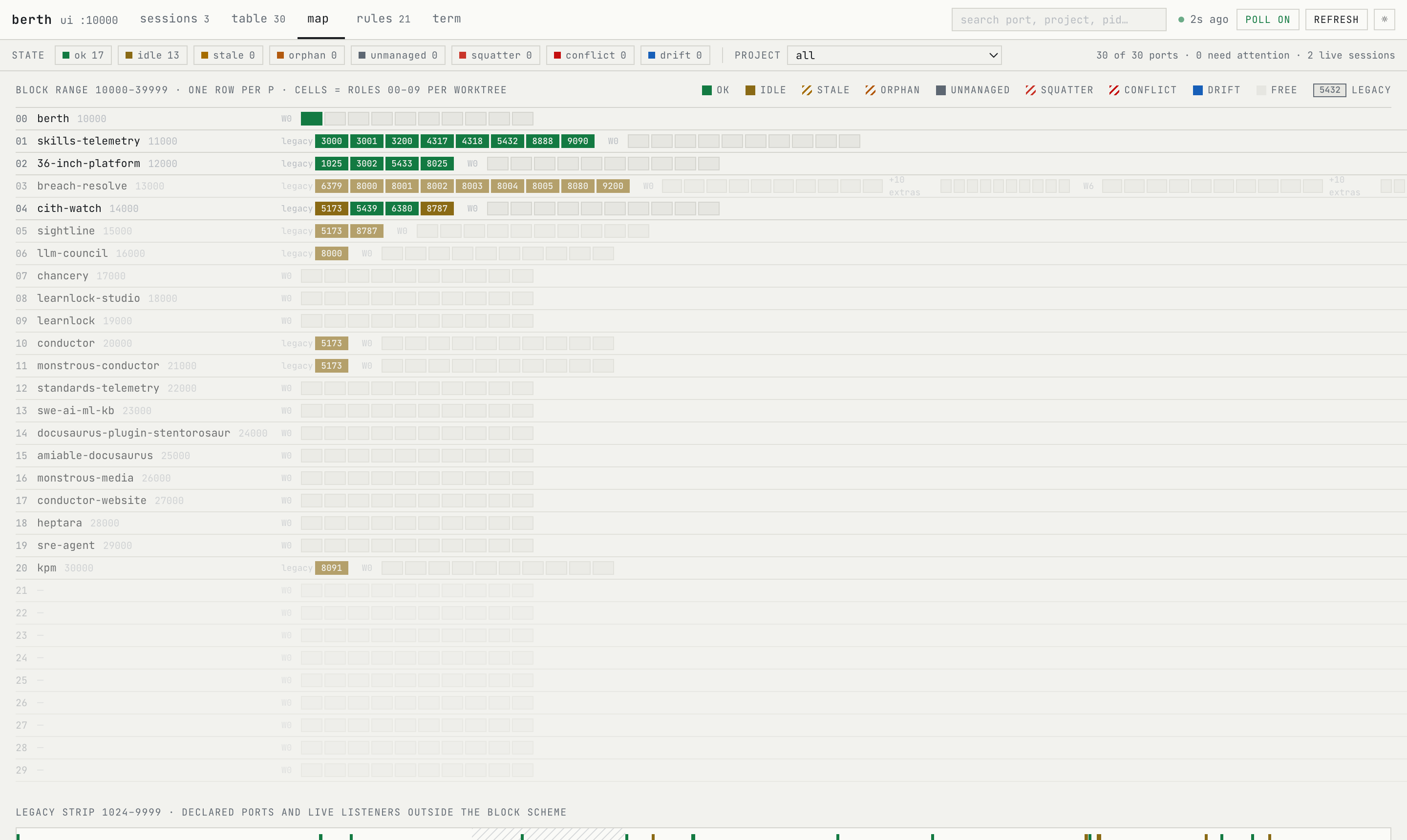
| map | one row per project block: the project's live legacy ports as numbered cells, the ten role cells per worktree, extras, and the legacy strip for 1024–9999 |
| rules | the policy rendered: the formula, roles, pools, reserved ranges, shared services and every project |
| term | what berth ls, berth who and berth check print for the current filter |
The state chips and the project selector filter every view; the search box matches port, project, role, holder, path, state, session id or pid.
The drawer
Click any port, cell or row to open its drawer: the decoded number (10000 + 1000·P + 100·W + RR), the lease and its owner, the live holder, the evidence lines, the advisory with a copy button, and the raw berth who --json payload.
Deep links
?view=map|table|sessions|rules|term opens a view directly; ?theme=light|dark picks a theme without saving it over your preference. The header links to this documentation and to the repository.
The API
GET /api/state returns the same report as berth check --json; see JSON and MCP. Cross-site requests are refused.